
Reset the Epson L3288 waste ink pad counter
The L3288 can be reset in software. VNIT Reset Tool reads its counters for free over a USB cable, runs one free trial reset, and resets to 0% with a US$6 key.
How the L3288 tells you
When its waste ink counter is full, the L3288 stops printing. On the computer you will usually see “The printer's ink pads are at the end of their service life” or “Service Required”; on the printer itself, error lights or a message on its screen. Nothing is broken: a counter has reached its limit.
Step by step
- 01Download VNIT Reset Tool and unzip itUnzip to your Desktop first. Running it from inside the zip causes errors.
- 02Connect the L3288 and press CheckPlug in the USB cable and switch the printer on. The tool shows the model, serial and each counter. The computer needs internet.
- 03Run the free trial, or enter your keyThe trial drops a 90%+ counter to 85%. A key resets it to 0%.
- 04Switch the printer off and on againSkip this and the printer still shows the old error.
What you will see
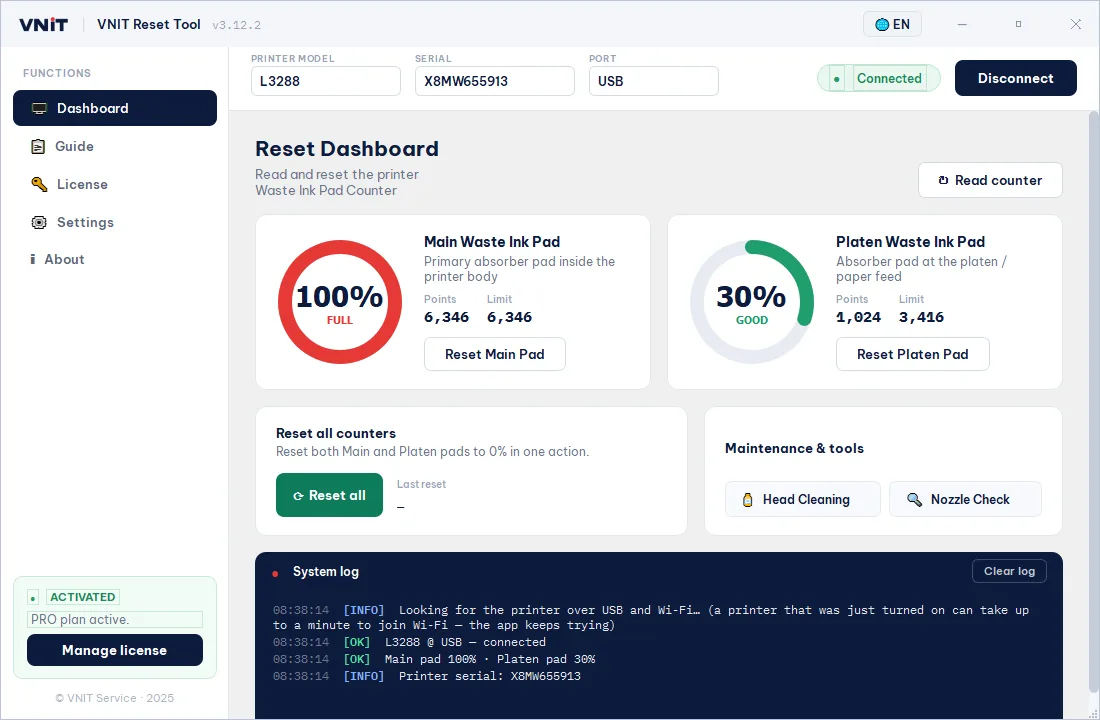
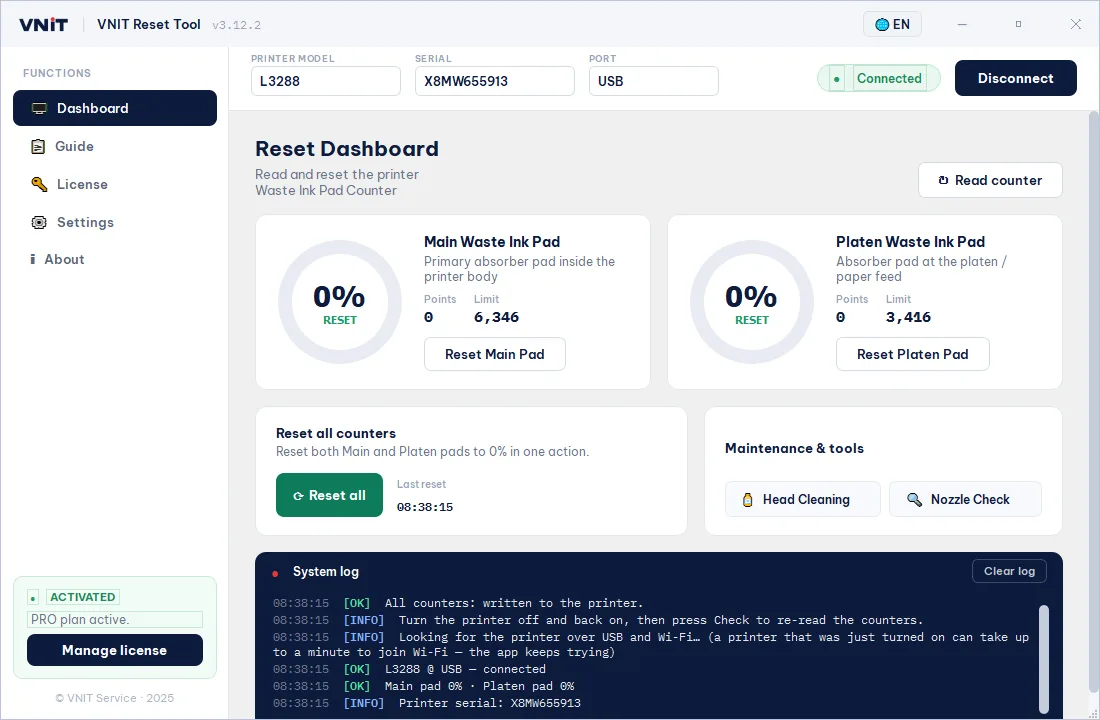
Screens from the tool's demo mode for the L3288. The serial number and counter values on your printer will be different.
After the reset: deal with the pads
The reset changes the counter, not the pads. If the L3288 has printed a lot, wash or replace the pads, or fit an external waste ink tank, so ink cannot overflow. How.
L3288 questions
The free trial worked. Do I still need a key?
Not straight away. The trial leaves the counter at 85%, so the error comes back sooner than after a full reset to 0% with a key.